
Integration
Invention Manager fits into the systems your company already runs
AppColl® Invention Manager™ is designed to work with the enterprise systems you already use. Inventors sign in once through your network, contact and organization data stays in sync with HR, and AppColl data flows out to your analysis tools.
You stay in control of who can log in, who sits on the patent committee, and who can see which data.
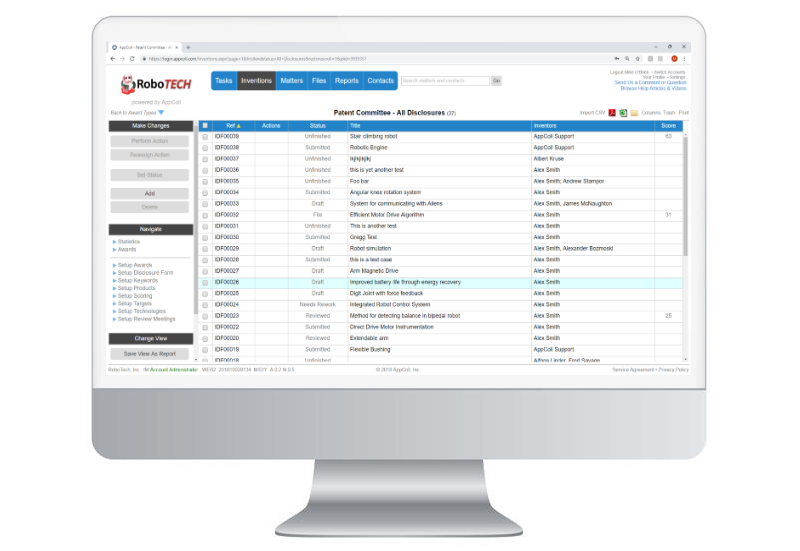
Connected to your enterprise
Single sign-on
Inventors open AppColl straight from your internal network, with no extra username or password to remember.
HR data feeds
Regular feeds from your HR system keep contact and organization details in AppColl up to date automatically.
Organization charts
Import org charts of any size, with unlimited employees and reporting lines.
Outbound data feeds
Send AppColl data on a regular schedule to the internal tools you use for analysis.
Integration Features
Human resource database feeds
AppColl can automatically receive periodic data feeds of your corporate employee database, so new hires and changes show up without manual entry.
Single sign-on (SSO)
Avoid multiple logins by implementing single sign-on with your corporate infrastructure.
Easily manage permissions
Grant or deny access to inventors and others with a click, and add or remove committee members in seconds.
Decide who sees what
Inventors work on their own disclosures, while committee members can see every disclosure. You decide exactly who has access to which data.
Reviewers from your hierarchy
Use each employee's “reports into” contact to send disclosures to the right manager or technical adviser for review.
Works with Prosecution Manager
Invention Manager integrates with AppColl Prosecution Manager, so approved ideas move into prosecution without re-entering data.
Org charts with drill-down
AppColl imports complex corporate org charts with unlimited employees and connections, and shows each person's up-line and down-line graphically.
Up-line and down-line
Open any contact's org chart to see who reports to them and who they report to, color-coded for clarity.
Direct reports
Each contact box shows how many people report directly to that person.
Disclosure counts
See how many invention disclosures list each person as an inventor.
Click to drill down
Click any contact to open their org chart, or open their contact record to view or edit it.
More access and security controls
Committee access
Check one box to let any contact, whatever their role, see all disclosures as a committee member.
Role-based actions
Committee, legal and reviewer tags decide who owns each step in your approval flow.
Password rules
Account admins set password requirements, password rotation and screen timeouts for every user.
Demo logins for testing
AppColl provides demo logins so changes to your flow can be tested without touching live users.