
Reporting
See every idea, every step and every bottleneck
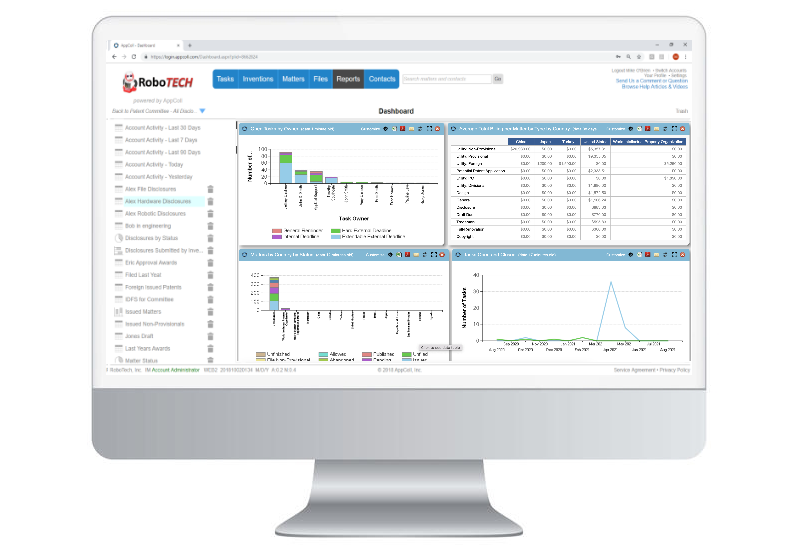
Invention Manager™ reporting gives you the information you need to manage your invention process. Filter on any value in any field, including the custom fields on your disclosure form, and turn the results into charts in a few clicks.
Export any data to a spreadsheet for deeper analysis, and send reports automatically by email or SFTP on a regular schedule.
How reports work
1
Filter your data
Filter on any value in any field, including your disclosure form's custom fields, and save the view as a report.
2
Chart it
Aggregate the results into bar, line or pie charts, such as disclosures submitted per business unit over time.
3
Export or share
Download the results as a PDF or CSV, or send them by email.
4
Schedule delivery
Run reports on a schedule and deliver them by email, FTP, SFTP or Amazon S3.
Reporting Features
Advanced analytics
Generate unlimited, customizable bar, line and pie charts that aggregate your invention disclosure and patent filing data.
Dashboard reports
Drag, drop and resize charts to build the dashboard view you want, and email scheduled reports to as many people as you need.
Flow efficiency
Chart how your disclosure flow is performing and find the steps that are taking the longest.
Filter on any field
Filter by any value in any field, including the custom fields you have added to your disclosure form.
Data transparency
The AppColl® reporting engine shows your data in real time, so everyone works from the same numbers.
Spreadsheet export
Export any of your data to a spreadsheet for further analysis in the tools you already use.
The Inventions Home dashboard
A live view of your approval process, with your flow chart, open actions and charts together on one page.
Annotated flow chart
Each stage shows its open actions and total disclosures. Click a stage to filter the list below it.
Disclosure and action list
Search and sort disclosures or open actions, and open any one with a click.
Three custom charts
Show statistics on disclosures, awards, actions, matters and tasks, and download each chart as a CSV or PNG.
Views by role
Committee members and admins see everything. Inventors and managers see their own disclosures.
More reporting tools
Standard advanced reports
Charts such as top inventors by patents filed and issued, matters filed over time and average time to issue come standard.
One report, each person's data
Use “current user” as a filter so one saved report shows each person their own data.
Charts in emails
Embed charts and report content directly in the body of scheduled emails, not just as attachments.
Private reports
Keep personal reports out of everyone else's report list.