
Conflicts
Spot potential conflicts before you take on a new client
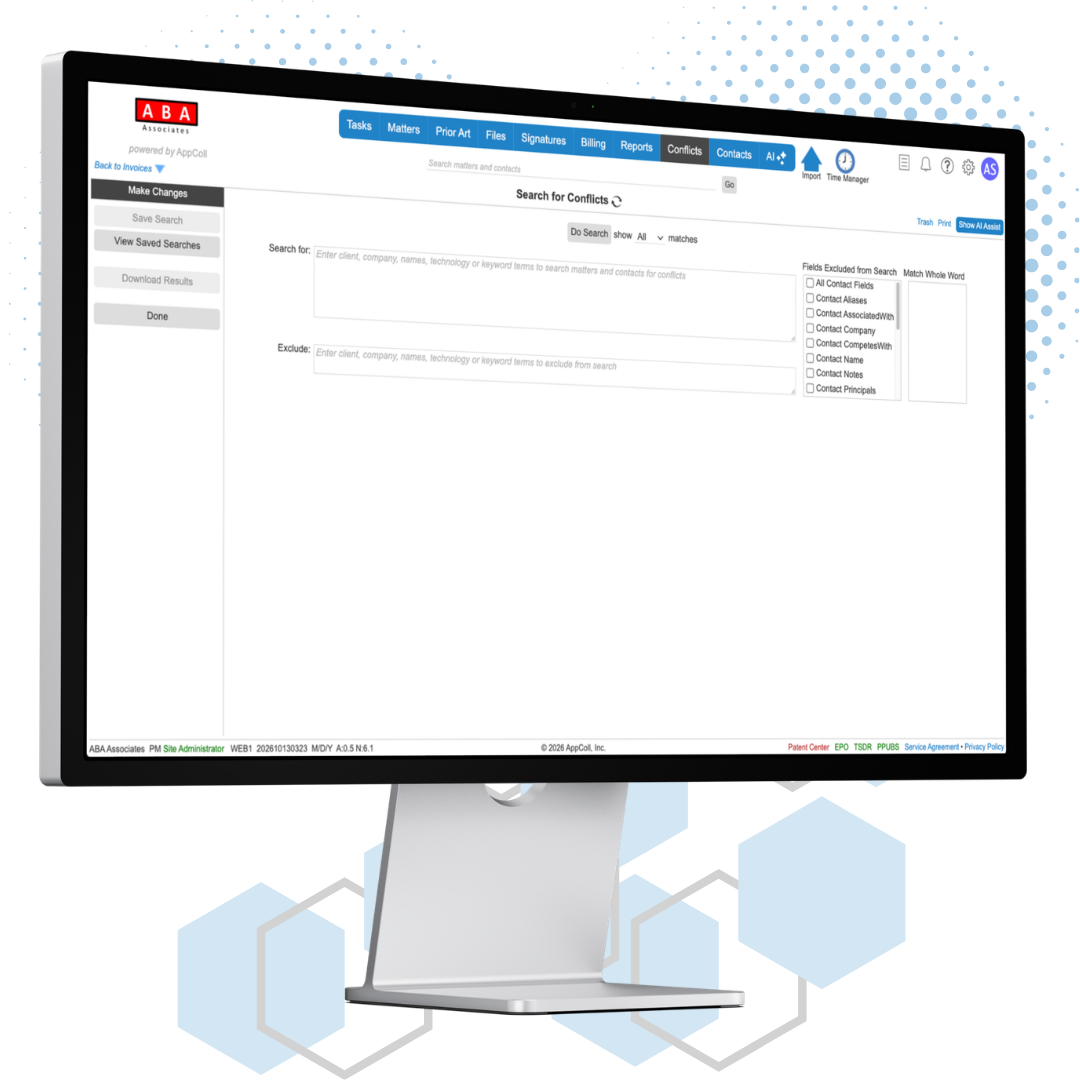
AppColl® Conflict Checking Module is designed to assist in identifying potential conflict of interest situations where doing the best thing for one client may harm another due to an adverse relationship between the two clients.
AppColl provides a way to search information in all matters and contacts, including metadata such as adverse party relationships, keywords and technologies to find potential conflicts. Using this feature, you can identify situations like the following:
A potential new client working on subject matter associated with an existing client.
A potential new client that had been identified as a competitor of an existing client
How it works
1
Set your terms
Build a controlled list of keywords, technologies and product descriptions, manually or from a spreadsheet. Users pick from the list, so the same term is never spelled two ways.
2
Tag clients and matters
Record who each client competes with, is associated with and its principals on the Conflict Checking tab. Add keywords and technologies to matters, one at a time or by CSV import.
3
Search before you engage
Enter the potential client's subject matter, principals and key inventors. AppColl returns every matching contact and matter, with your search terms highlighted.
Conflict Checking Module Features
Metadata Searching
Search your entire matter portfolio using metadata keywords. Include custom fields to drill down on all the specifics you need.
Contact Conflict View
Learn who in your company is working on specific clients, matters, types of matters and more.
Include & Exclude
Control how AppColl searches your portfolio using the “include” and “exclude” search capabilities.
Precise searches
Start broad, then narrow down. Searches are case insensitive and check each field separately for a match.
Boolean operators
Combine terms with AND, OR and NOT, and use parentheses to control the order.
Match whole words
Partial matches are found by default. Mark a term as a whole word so "intel" does not also match "intelligence".
Choose the fields searched
Contact aliases, roles, competitors and principals, plus matter titles, clients, inventors, products and adverse parties. Exclude any field you do not need.
Client aliases
Store every variation of a client's name so a search finds them however they are spelled.
Review and record results
Open any match
Click a result to open that contact or matter in a new browser tab.
Save searches
Save a search with a description and view its original results later.
Re-run against current data
Re-run a saved search on the information in your account today, without changing the saved results.
Download results
Export results to print or share. The file opens in a browser or in Excel with formatting intact.