
Files
Your IP documents, organized and secure
AppColl® Files module provides a centralized place for storing all documents associated with your Intellectual Property. Stop maintaining your files locally. By placing your documents in AppColl cloud, anyone with a login has immediate access. Documents are encrypted and automatically backed up to multiple physical locations. No need to worry about scheduled backups from your local computer.
Store all types of files, including media. Maintain document revisions. AppColl automatically creates a folder for every client and every matter, and you can add your own custom folders inside each matter. Upload and download multiple folders and files using zip files. Assign documents to specific docketing items.
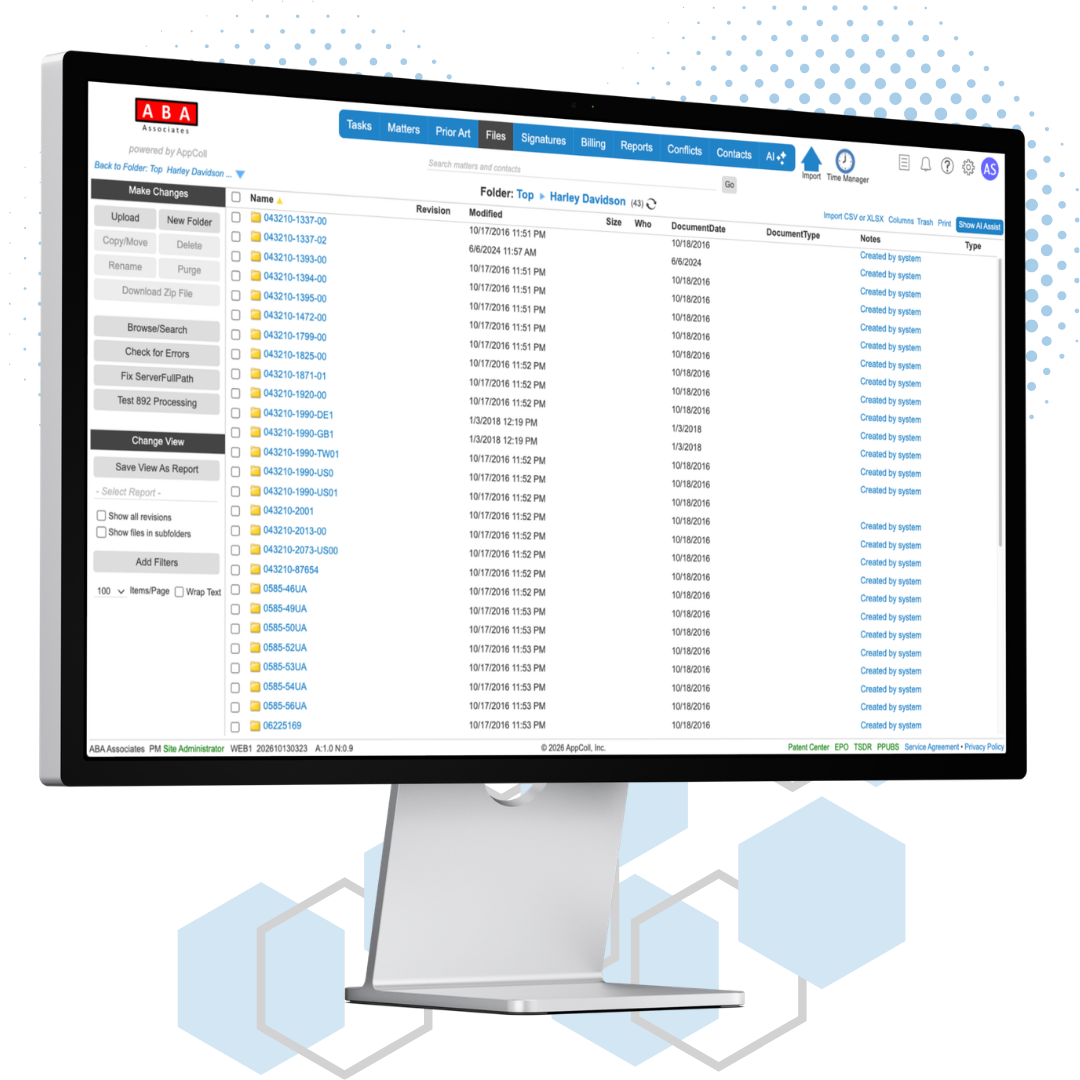
Files Module Features
01
Automatic Folder Creation
AppColl automatically creates a folder for every client and a folder for every matter, so your files are organized from day one. Need more structure? Add your own custom folders inside any matter.
02
Link Documents to Tasks
Easily upload documents to the Files module and link them to individual docketing tasks. When responding to an Office Action, you can easily access the files you need directly from the task. Quickly refer to the official PTO Office Action, client reporting letters, client instructions or other documents.
03
Easy Access with Drag and Drop
Drag and drop multiple files or folders from your local computer to AppColl. Easily upload and download multiple files and sub-folders with a single zip file. AppColl extracts the files and folder within the zip file and maintains your folder hierarchy.
04
File Types
Upload any file type including: PDFs, documents, spreadsheets, presentations and media files.
05
Document Revisions
AppColl maintains revisions when the same document is uploaded multiple times. Open and edit prior versions of your documents and keep a complete history of all changes to a file.
06
Easy Searching
Quickly search your files and folders by name, revision, type, meta data, size and other attributes. Easily sort and display all files in AppColl regardless of the folder they are stored in.